Documentation

Barber shop documentation

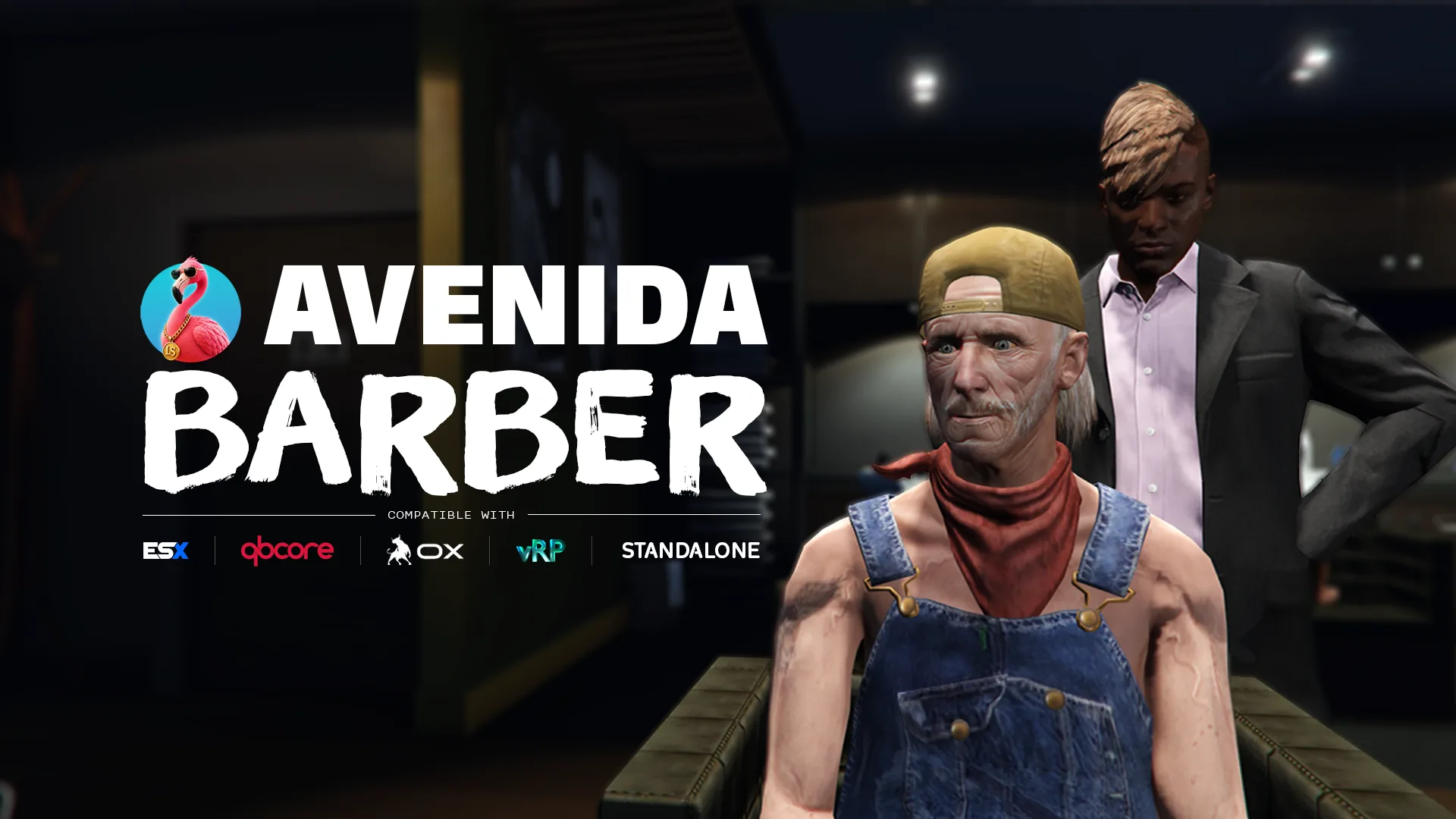
A barbershop staged like a scene, with a camera the player actually controls. The character walks in, sits down, and the barber gets to work while an orbit camera frames the head. Hair, beard, overlays and the full skin-detail set, previewed live before a single dollar is spent.

  • ESX
  • QBCore
  • vRP
  • Standalone
  • oxmysql
01

Installation

  1. Drop the resource

    Grab the script from your Tebex account, then copy the avenida_barber/ folder into your resources directory and add ensure avenida_barber to your server config, after ensure oxmysql.

  2. Run the SQL

    Run section [A] of INSTALL.sql on your database. Section [B] is conditional, the file header says when you need it.

  3. Check the config

    Open config/config.lua. The defaults work on most servers, the one line worth checking is Config.Locale. Prices, shops and chair behaviour live next door in config/barber.lua.

  4. Verify the integrations

    Set Config.Debug = true, restart, and read the console: one line per bridge category names the target that was picked. Set it back to false once the lines match your server, the diagnostic commands it unlocks cost a frame hitch.

  5. Grant yourself the admin features

    Add add_ace group.admin avenida_barber.admin allow to your server config, then run /avenida_barber_check in game for the full install report.

02

Configuration

Force an integration instead of detecting it

Auto-detection covers most servers, and it probes the real export rather than the resource state. On a custom stack, force the target and detection is skipped entirely.

lua
-- config/config.lua
Config.Locale    = 'en'
Config.UseOxLib  = true

Config.Framework = 'auto'   -- 'qbcore' | 'esx' | 'vrp' | 'standalone' | 'custom'
Config.Notif     = 'ox_lib' -- 'qbcore' | 'esx' | 'ox_lib' | 'okok' | 'vrp' | 'chat' | 'custom'
Config.Interact  = 'auto'   -- 'avenida' | 'ox_target' | 'qb-target' | 'standalone' | 'custom'
Config.Clothing  = 'auto'   -- 'qb' | 'illenium' | 'fivem-appearance' | 'esx_skin' | 'vrp' | 'table' | 'custom'

Config.Camera = {
    Sensitivity = 1.0,      -- rotation, zoom and height, clamped to 0.1 - 5.0
    InvertY     = false,
}
03

Exports

Client

  • GetHairbase
    exports['avenida_barber']:GetHairbase() --> { c = collection, t = nameHash } | nil

    The hair base decoration the ped wears right now, or nil when the haircut needs none. Read it before you call ClearPedDecorations, hand it back afterwards, and the hair keeps its shading instead of turning into a flat cap.

  • GetTattoos
    exports['avenida_barber']:GetTattoos() --> { { c, t }, ... }

    Every tattoo decoration this resource owns on the ped. The barber shares the single decoration slot with the ink, so a redraw that forgets this list wipes the tattoos a player paid for.

  • GetSkinData
    exports['avenida_barber']:GetSkinData()

    The character exactly as the barber holds it in memory, hair, beard, eyebrows and their colours included. Useful to snapshot a look before a job outfit takes over.

  • ApplySkin
    exports['avenida_barber']:ApplySkin(data, ped)

    Writes a full appearance onto a ped. Pass the ped you want to dress, which can be a preview clone rather than the player, so a mirror or a character select can show the same face.

  • ApplyClothing
    exports['avenida_barber']:ApplyClothing(data, ped, temporary)

    Applies the clothing part only, and leaves face and hair untouched. Set temporary to true for a costume that must not be written to the database, a prison outfit or a disguise.

04

Recipes

Tune the camera and the look of the scene

The camera pivots on the head, so the same height values work whether the ped stands or sits. Negative height goes down the body. The lighting and the depth of field are what make the character read as the subject rather than a ped in a dark room.

lua
-- config/config.lua
Config.Camera = {
    Sensitivity = 1.4,          -- faster drag
    InvertY     = true,
}

Config.UI = {
    Tutorial          = true,   -- first-run tour, replayable from the toolbar
    Sounds            = true,
    Blips             = true,

    Timecycle         = 'casino_brightroom',
    TimecycleStrength = 1.0,
    TimecycleFadeMs   = 400,    -- 0 makes it snap like a light switch

    DofStrength       = 0.1,    -- false drops the per-frame SetUseHiDof call
    DofPlanes         = { 0.4, 0.7, 2.2, 4.5 },
}
Add a shop, or take the theatre out

Shops live in an open file, one entry each, with their own barber ped and their own prices. Turning the chair scene off keeps the camera and the menu, and skips the walk-in.

lua
-- config/barber.lua
Config.Barber.ChairScene = false   -- menu opens on the spot

Config.Barber.Shops[9] = {
    BarberPedModel = 's_m_m_hairdress_01',
    Welcome        = vec3(-1282.60, -1116.60, 6.99),
    Blip           = { sprite = 71, color = 4, scale = 0.7 },
}

Redraw decorations from your own script

The ped has one decoration slot for the whole server. If your script calls ClearPedDecorations, read what this resource owns first and hand it back afterwards, otherwise you wipe the hair base.

lua
local hairbase = exports['avenida_barber']:GetHairbase()
local tattoos  = exports['avenida_barber']:GetTattoos()

ClearPedDecorations(PlayerPedId())
-- your own decoration work here

if hairbase then
    AddPedDecorationFromHashes(PlayerPedId(), hairbase.c, hairbase.t)
end
for _, dec in ipairs(tattoos) do
    AddPedDecorationFromHashes(PlayerPedId(), dec.c, dec.t)
end

Hide your HUD while a shop is open

The resource fires a client event when a menu opens and closes. Hook it rather than polling, it is the same signal the built-in HUD handling uses.

lua
AddEventHandler('avenida_barber:client:uiStateChanged', function(hidden)
    if hidden then
        exports['myhud']:hide()
    else
        exports['myhud']:show()
    end
end)
05

Questions

Which frameworks does it actually support?

QBCore, ESX and vRP, plus a standalone mode that needs no framework at all and a custom branch in bridges/framework.lua for anything else. Detection runs at startup and probes the real export. Qbox and ox_core have no dedicated branch: they run through the standalone or custom path, not through a tested target.

What does vRP cost me?

vRP stores clothing components and props, and nothing else. It has no field for head overlays, face features, hair colour, eye colour or ped decorations, so on vRP the whole character is kept in a table of its own instead. vRP still gets the clothing part, refreshed straight after a change. The practical consequence: a vRP native skinshop will not show the barber work, because vRP has nowhere to put it. vRP 2 and vRP 0.5 are not supported, and the resource says so in the console rather than misbehaving quietly.

Does it work with the ox stack?

Yes, everywhere it matters: ox_lib for notifications through Config.UseOxLib, ox_target for the interaction prompt, ox_inventory for clothing items, and oxmysql as the one hard dependency. Nothing there is required except oxmysql, and bridges/compat.lua provides native fallbacks when ox_lib is off. What has no dedicated branch is ox_core as a framework: on an ox_core server the resource runs standalone, or through the custom branch of bridges/framework.lua if you want it to read your player data.

Can I run it next to avenida_tattoo and avenida_clotheshops?

Yes, that is what they are built for. Each one owns its half of the single ped decoration slot and puts the others back after any redraw. What you must not do is run the separate resources and the avenida_skin bundle at the same time: they would each place their own blip and each write their own copy of the same character. The resource detects the overlap and says so in the console at startup.

A hairstyle is missing from the list

Hair bases are gated by game build. A style your client cannot render is deliberately never listed, because listing it would show the player an option that comes out broken. Run /avenida_barber_check to see the build your server actually ships.

The head does not follow my cursor

Head tracking is scoped to an orbit camera session: the thread starts with the camera and stops with it. It also needs NUI focus, since it reads the cursor through GetNuiCursorPosition. If the camera is owned by another resource that took it over, tracking stays off on purpose.

Can I add another language?

Fifteen ship filled, in the open locales/ folder. Copy one file, translate the values, and point Config.Locale at your new code. en.lua is the fallback for any key you leave out, so a partial file never shows a blank label.

What does it cost when nobody is in a shop?

0.00ms. The interaction points share one thread that parks at one second when nobody is nearby, blips are created once, and every session thread is killed on exit. Nothing runs between two haircuts.

Cart
Spirit RP
Discord