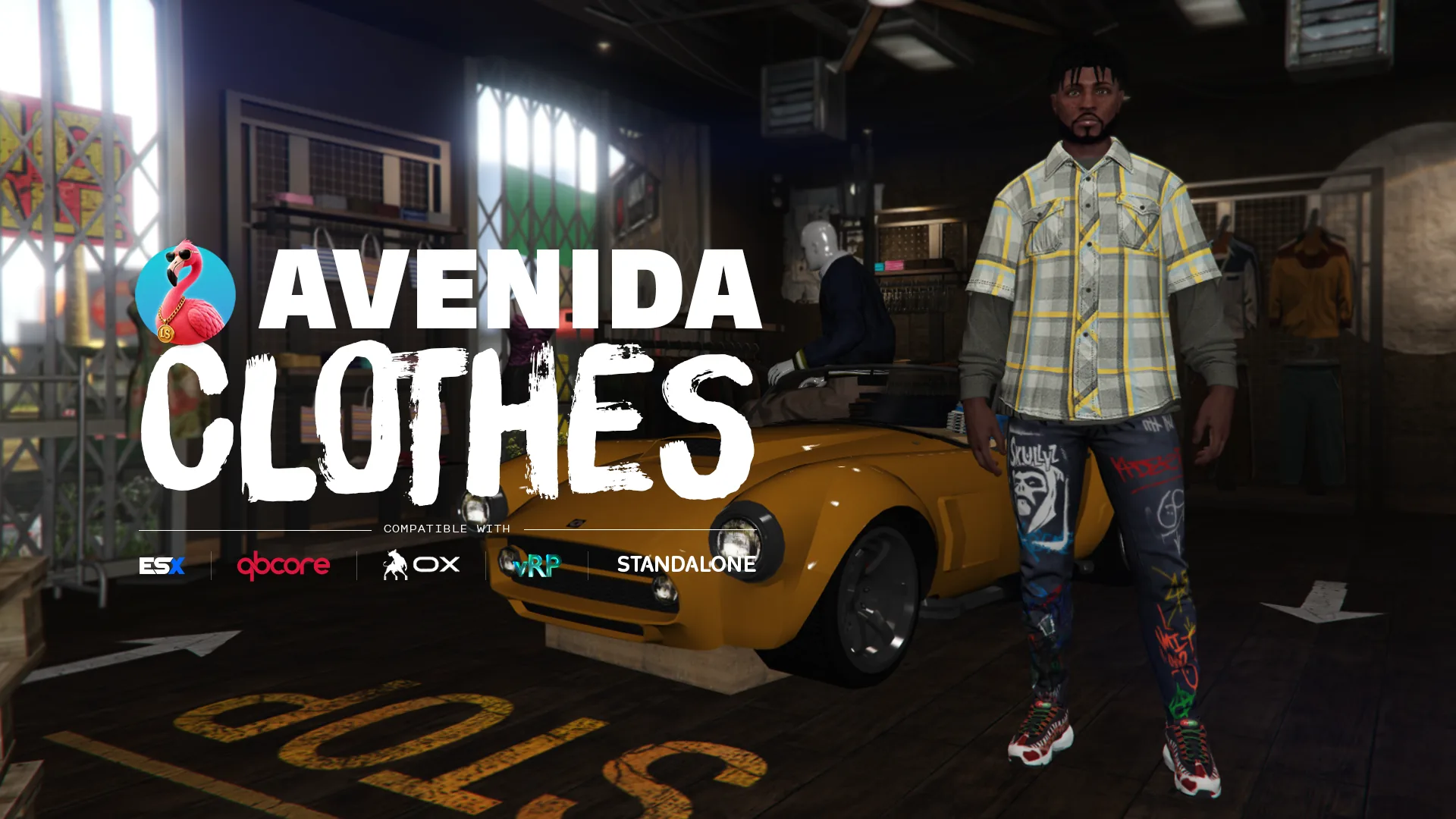
A clothing store is judged on a question nobody asks: what happens when a player wears something he never paid for?
Avenida Team, 24 August 2026
You open a config file, you change a price, you restart the server. That is daily life with a FiveM clothing store, and it does not have to be: our editor prices the catalogue from inside the game, store by store and section by section, without cutting anyone off.
That settles the daily part. What is left is the thing that decides whether your economy holds, and nobody talks about it: nothing stops a modified client from writing an outfit it never bought. The store shows a price, the player clicks, and the protection stops at the interface. We wrote avenida_clotheshops around that problem, and this article says how, with the numbers and the file names so you can check.
What does your server gain from this clothing script?
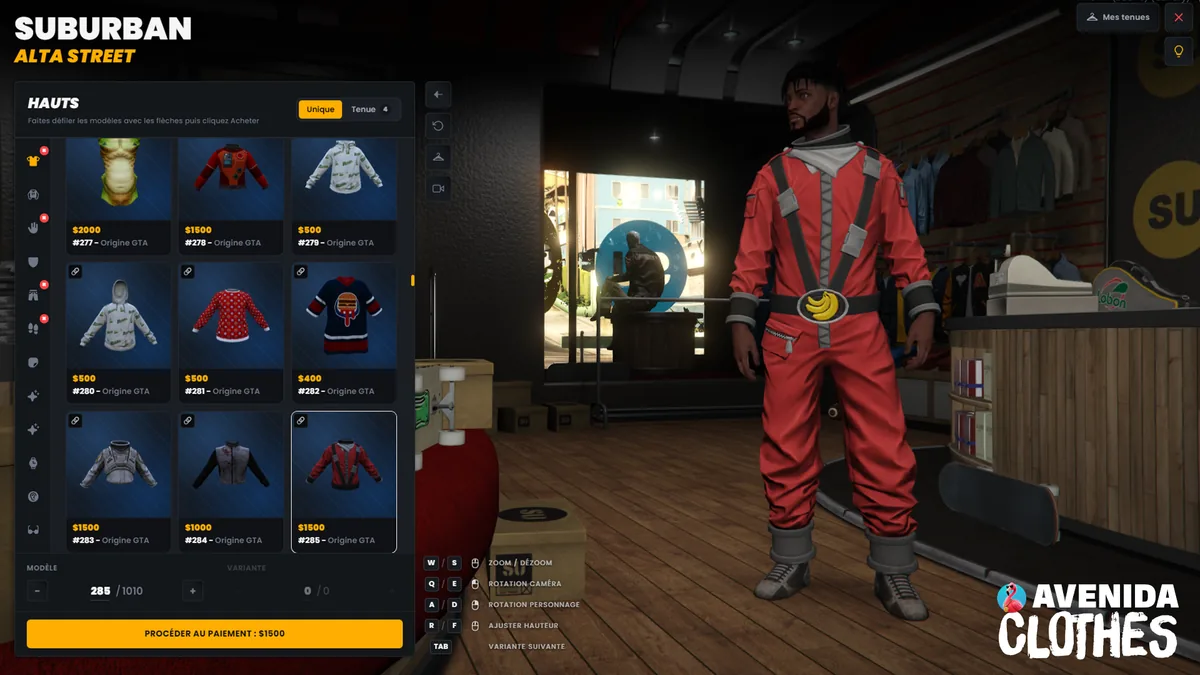
A clothing economy that holds, and a catalogue you tune without touching the code. The player walks in, tries things on, sees the price under each tile, and buys one garment at a time or a whole outfit. You open the editor inside the store and change a price, hide a piece or reserve it for a job, in game, without a restart.
| What you install | What it changes on your server |
|---|---|
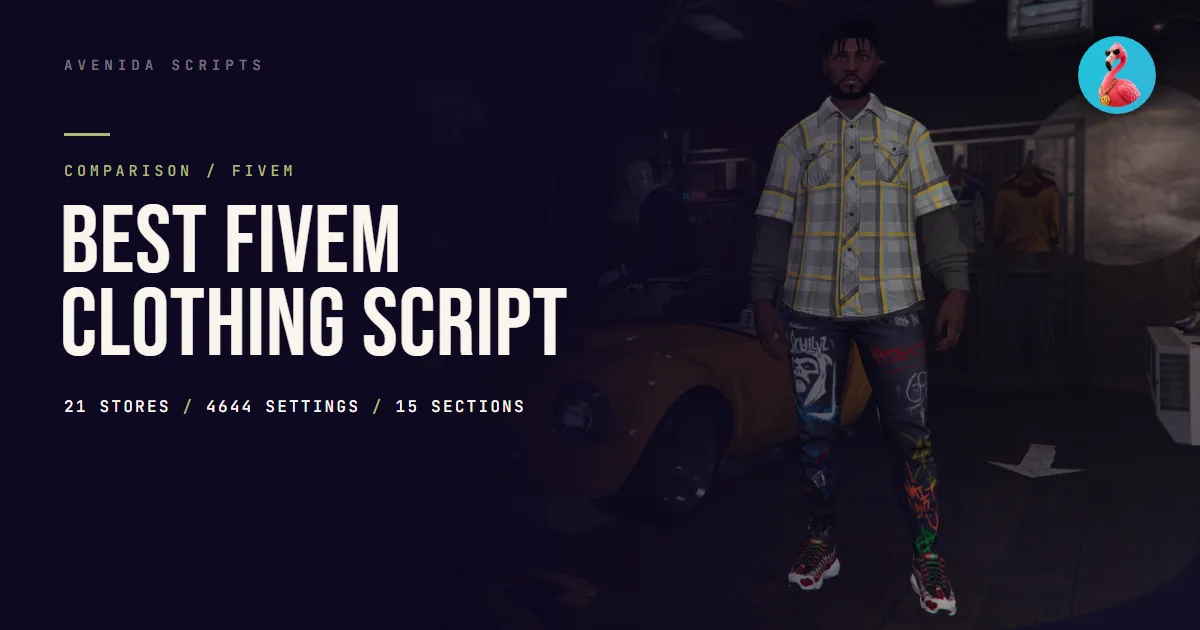
| 21 preconfigured stores, across the game’s four brands | You cover the map on install day |
| A catalogue editor inside the store | You price and you block without editing a file or cutting the server |
| A record of what each character paid for | A modified client can no longer dress for free |
| Company wardrobes | A job hands out its uniforms with nobody else reaching them |
| Garments as inventory items, optional | A jacket can be resold, given away, stolen |
| 15 in-game languages, filled in | Your players read the interface in their own language on first boot |
What does a FiveM clothing script need to get right?
Six things, and the third one is the one nobody handles. A clothing store has to offer the game’s whole catalogue, write into the appearance system you already run, refuse an unpaid outfit, handle the pieces that pull others along, tune without a restart, and hook into your framework without you rewriting its config.
| Criterion | What this script saves you |
|---|---|
| Offering the whole catalogue, props included | A player who saw the piece elsewhere and cannot find it on your server |
| Writing into the right appearance system | An outfit that applies and then vanishes on reconnect |
| Checking payment server side | A modified client dressing for free |
| Linking the pieces that go together | A top worn without its sleeves, a dress that leaves the legs showing |
| Tuning without a restart | A server outage to change one price |
| Sharing the ped decoration slot | An outfit that wipes the tattoos, or the other way round |
How does a player change outfit on FiveM?
He walks into a clothing store and opens the menu, provided the server has installed one. GTA V does have its stores in single player and online, but a FiveM server does not carry them over on its own: with no dedicated script, the player keeps what he picked at character creation.
With a store placed on the map, he walks up to the marked point, confirms, and the menu opens. He browses the sections, tries pieces on his character, sees the price under each tile, and pays per item or per outfit. His outfits are saved, and he calls them back later without paying again.
If you are a player rather than a server owner, there is nothing you can install yourself, all of it happens server side. If your store only has half the catalogue, or if your outfits drop on reconnect, your server’s team is who to tell. This article is written for them.
Why can a player wear something he did not buy?
Because most scripts check the price in the interface, and the interface runs on the player’s machine. The menu shows 1,500 dollars, the server takes 1,500 dollars, and everything is fine as long as the player goes through the menu. A modified client sends the dressing order straight through, without ever opening the store.
So our server keeps a record of what each character paid for, and it refuses a clothing write that puts a piece on the character which is not in that record. This is not a check on the interface, it is a check on the data being written.
The three legitimate paths go through the same record: wearing a bought piece, applying a saved outfit, putting on a company uniform. And characters that existed before you installed this keep everything they already wear, otherwise the migration would empty everyone’s wardrobe on day one.
This can be switched off, and here is when. Config.Clothes.RequireOwnership = false disables the record. That is the right call if your server already hands out clothing through another path than the store, a loot system or a reward that writes into the appearance directly. The record would refuse those pieces, and you would spend your evenings unblocking legitimate players.
What interface does a FiveM clothing store need?
A grid that shows the pieces, not a list that names them. This is where catalogue size changes everything: GTA V carries over a thousand tops for a single character model, and a native list menu asks you to scroll through indices without ever seeing what you are buying.
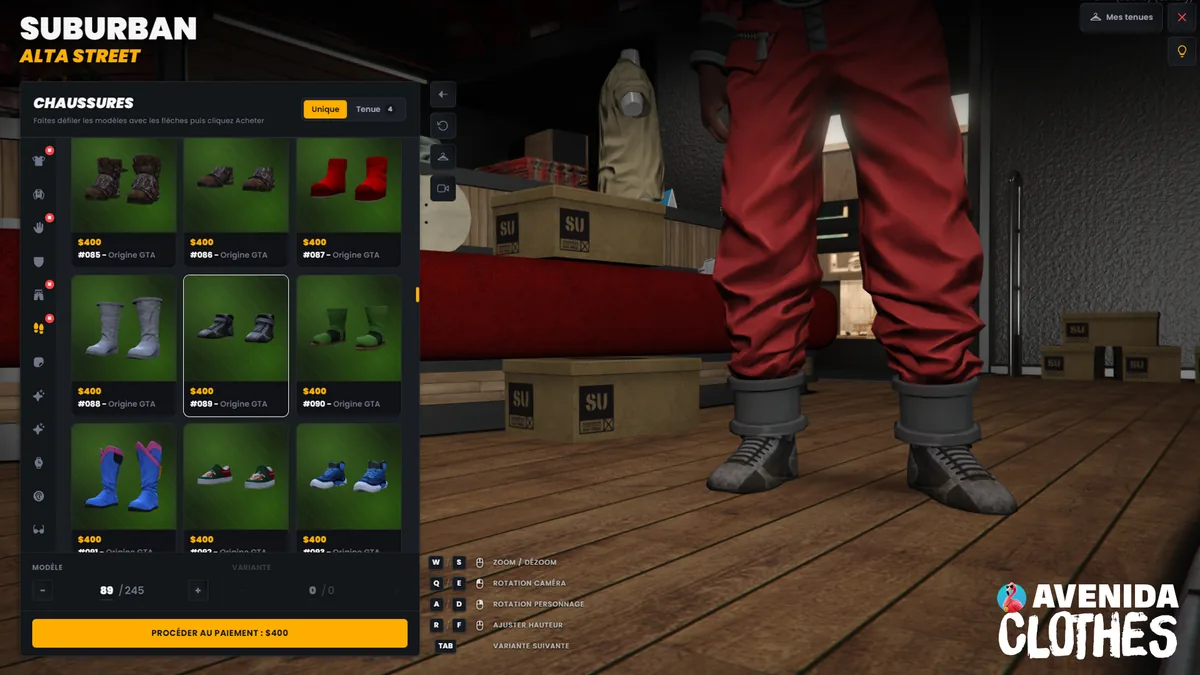
Ours is written in Svelte 5, served by the resource, fonts included: no CDN, and nothing leaves your players’ client for a third party. The only outbound request that can exist is the one you switch on yourself for the thumbnails, and the next section is devoted to it. Each tile carries its price and its origin, and the camera follows the section: open the shoes and it drops to the feet, as on the second screenshot. The camera controls stay on screen at the bottom, zoom, character rotation and height.
A chain link appears on the pieces that pull others along. That is the component link, and it is the densest mechanism in the script: a top that requires its sleeves, a dress that hides the legs, a helmet that forces a hairstyle.
Can garments be handed out as inventory items?
Yes, and it is off by default, for a technical reason worth knowing before you buy. With Config.Clothes.GiveAsItems = true, a purchase puts the garment in the inventory instead of straight on the character. The player carries it, drops it, resells it, and uses it to put it on.
That needs an inventory able to store metadata on an item, because that is where we write which garment it is. ox_inventory and qb-inventory both can, the stock ESX inventory cannot, it keeps a name and a count and nothing else. A vRP item is the same. On those two, leave the option off or install ox_inventory.
The fourteen items are declared in your own list, we do not touch it. One gotcha cost us time and it is documented: without consume = 0, ox_inventory eats the garment the first time it is worn. And stack = false matters just as much, because two jackets are not the same jacket and stacking them would merge their metadata.
Do you have to host your own garment images?
Yes if you want them, and we would rather tell you before the purchase than after. The script ships no image pack. By default, Config.Clothes.Images.Enabled is false and the grid shows numbered tiles. Both screenshots on this page were taken with hosting switched on, otherwise you would see numbers.
You point BaseUrl at your own host and the interface fetches the images from there, in the shape <sex>/<section>/<number>_<piece>_<variant>.webp, for example https://cdn.example.com/clothes/male/tops/11_42_0.webp. The reason is the same as on our other scripts: those visuals are renders of the game’s garments, and redistributing them with a paid resource is not something we will do.
The numbered mode is not a fallback. If your server loads add-on clothing packs, numbered tiles stay correct where a render pack will never cover your custom pieces: you would get empty cells in the middle of the grid. On a heavily modded server, the default mode is often the right call, and not only the cheap one.
What do you gain depending on your appearance system?
The whole catalogue, and on vRP you gain more than your framework can do on its own. The script writes into the appearance resource you already run. Internally we speak the qb-clothing shape and convert on the way out, target by target.
| Your system | What you gain |
|---|---|
qb-clothing, own table | Everything. This is the script’s native shape. |
illenium-appearance, fivem-appearance | Everything, except that the second colour of a two-tone overlay collapses onto the first, their schema only carrying one. |
esx_skin | Overlays and components. Props, watch and bracelet, are not in that schema and the script holds them separately. |
vRP | More than vRP can do on its own. vRP has nowhere to store the hair and face part of a character, so the script takes the whole appearance over. |
ESX, QBCore, vRP, standalone: what actually changes?
Nothing for you, and that is the point. The framework is detected on start through nine open bridge files, one per point of contact: framework, notifications, interaction, appearance, inventory, decorations, photo, compatibility and vRP. Each one documents its targets, what it detects, and what each target costs you.
Detection probes the actual export, not just whether the resource is started. A version with a renamed export degrades quietly instead of throwing at boot, and you can always force the target if the guess is wrong.
What that does not cover, and we say it in console: vRP 2 and vRP 0.5 are not supported. vRP 2 is a different framework that kept the name, and the 0.5 proxy has no reply channel.
What is new for FiveM clothing shops in 2026?
The full catalogue is no longer an argument, it has become the baseline. What separates clothing stores in 2026 comes down to three things: what you can tune without a restart, what happens when a client lies, and how the pieces link to each other.
Our latest published version is 1.2.0. This page tracks versions: when the resource moves, the date at the bottom of the article moves with it and the history says what changed.
Our own observations, on three points the store pages skip
The settings file is written by the game, not by you
config/clothes_overrides.lua holds 4644 settings and it is rewritten in full every time the editor saves. A hand edit is therefore lost on the next save, and that is stated at the top of the file. Permanent changes go in the three neighbouring files, prices, blocks and VIP.
The breakdown says what the script really does: 2274 component links, 933 prices, 848 hairstyles that swap under a mask or a helmet, 265 pieces reserved for jobs, 92 bags that carry real storage, and 38 heads shrunk under a mask.
The editor is locked twice, not once
It requires an ACE permission and Config.DevMode.Enabled, and the permission is re-checked server side on every save. Granting yourself the right in game is therefore not enough if the mode is off, and turning the mode off is not enough if the permission lingers. Config.Debug is a third setting, separate, and it only drives logging.
A store refuses to open on a disguised character
If your server puts players in another ped, an animal, a disguise, an event, the script refuses to open the store while they are in it. Without that, what they change would be saved on the wrong character. You hook your own disguise resource in through an export, in bridges/compat.lua.
The checklist before buying a clothing script
| To check | The answer to expect |
|---|---|
| Does the server refuse an unpaid outfit? | Yes, otherwise the economy does not hold |
| Can a price be changed without a restart? | Yes, from inside the game |
| Are the pieces that go together linked? | Yes, and the list has to be open |
| Are garments as inventory items possible? | Yes, with an inventory that stores metadata |
| Are company wardrobes kept separate? | Yes, otherwise everyone reaches them |
| Is the ped decoration slot shared? | Yes, otherwise the tattoos drop |
| Are config, locales and bridges outside escrow? | Yes, otherwise you adapt nothing |
Frequently asked questions
How many stores are preconfigured?
Twenty-one, across the game’s four brands, Binco, Suburban, Ponsonbys and the mask-and-bag boutiques. Each has its interaction point, its blip, its payment method, its tax and its discount, in an open config file.
Can I charge differently per store?
Yes, and per section. Three modes exist per section: a flat rate, a rate that grows with the index, or a price-by-price table. A tax and a discount then apply to the cart, per store.
Can garments become inventory items?
Yes, fourteen items to declare in your own inventory. It needs ox_inventory or qb-inventory: the stock ESX inventory and vRP items store no metadata, so they cannot remember which garment it is. One gotcha worth knowing, without consume = 0 ox_inventory eats the garment the first time it is worn.
Do you need an appearance resource alongside?
No, but that is the common case. If you have one, the script writes into it and it stays the owner of the character. If you have none, Config.ManagePlayerSkin makes it hold the characters in its own table. Never run both at once. The documentation covers installation and the exports.
How many in-game languages ship with it?
Fifteen, filled in and editable. These are the languages your players see, not to be confused with the six languages of this site. They are translated and checked by us, not by a native speaker of each of the fifteen, and we would rather write that down.
Other clothing scripts on the market
To place things, here are a few names you will run into while searching. The list is in no way exhaustive and we are not linking them, each one is found under its own name.
illenium-appearance · fivem-appearance · rcore clothing · vms_clothing · qb-clothing
What separates them from ours is not the catalogue, they have it too. Several of them are in fact full appearance systems, so neighbours rather than competitors: we write into them. If your server is first of all after a character creator rather than a store, they are built for that, and we do not pretend otherwise.
Sources
Everything this article claims comes from files you can read yourself, before buying as well as after:
- the resource’s
README.md, for the nine bridges, the fourteen items and the compatibility table; config/clothes_shops.lua, for the twenty-one stores and the three pricing modes;config/clothes_overrides.lua, for the 4644 settings you can count;- its
fxmanifest.lua, for theescrow_ignoreand the fifteen locale files.
Those four files are outside escrow. The shared decoration slot, which this script puts back on every redraw, is the same one avenida_barber and avenida_tattoo write to. The screenshots on this page come from version 1.2.0, taken on 24 August 2026.
History of this page
- 24 August 2026 · first publication, on
avenida_clotheshops1.2.0.
A question about an inventory we have not listed, a component link that is missing or a vRP fork? Discord is the place, and the developer who wrote the script is the one who answers.